- Welcome to Maher's Digital World.

Recent posts
#81
Chit Chat / Re: best clips
Last post by scarface - October 15, 2025, 11:33 PMTonight, new videos are available for the users of the forum.
3 Haunting Last Moments Caught on Camera
https://www.youtube.com/watch?v=a0k60_pBjU4

The Super Mario World's Ghost Houses
https://www.youtube.com/watch?v=J-i9r1PcAL4

In July 1985, the little Nicole Morin disappeared after leaving a penthouse in Canada.
What happened?
https://www.youtube.com/watch?v=OdBiuvxL9XQ

The San Andreas Fault - Is a huge earthquake looming in
California?
https://www.youtube.com/watch?v=7vfIcDOfAR8

3 Haunting Last Moments Caught on Camera
https://www.youtube.com/watch?v=a0k60_pBjU4
The Super Mario World's Ghost Houses
https://www.youtube.com/watch?v=J-i9r1PcAL4
In July 1985, the little Nicole Morin disappeared after leaving a penthouse in Canada.
What happened?
https://www.youtube.com/watch?v=OdBiuvxL9XQ
The San Andreas Fault - Is a huge earthquake looming in
California?
https://www.youtube.com/watch?v=7vfIcDOfAR8
#82
Microsoft Windows / Re: Windows 11
Last post by Vasudev - October 14, 2025, 06:48 PMQuote from: humbert on October 03, 2025, 03:30 AMActually I did in the previous posts or page.Quote from: Vasudev on September 30, 2025, 07:51 PMWindows 10 Sept ISO 22H2I'm surprised this is 22H2. Weren't you uploading 24H2 or higher?
Win 10 22H2 Sept SHA256 Checksum
Humbert one update: I've moved from Pixel 7 to iPhone 17 because recent android 16 update simply caused deleted texts or calls and even missed calls without notifications. I couldn't call anyone even with WiFi calling as it was getting instantly ended upon calling.
#83
Microsoft Windows / Re: Windows 11
Last post by humbert - October 03, 2025, 03:30 AMQuote from: Vasudev on September 30, 2025, 07:51 PMWindows 10 Sept ISO 22H2I'm surprised this is 22H2. Weren't you uploading 24H2 or higher?
Win 10 22H2 Sept SHA256 Checksum
#84
Microsoft Windows / Re: Windows 11
Last post by Vasudev - September 30, 2025, 07:51 PM #85
Microsoft Windows / Re: Windows 11
Last post by Vasudev - September 30, 2025, 07:49 PMQuote from: humbert on September 29, 2025, 04:52 AMIts just enablement package similar to 20Hx -> 22Hx.Quote from: scarface on September 28, 2025, 08:17 PMTonight, Windows 11 25H2 is available with the latest updates and software.
This version was created with Windows 11 25H2 RTM Build 26200.6584.
Note that the latest AMD drivers were integrated in this version.
TPM2 and Secure boot are disabled.
Any major improvements from 24H2, or just more unneeded bloat? I just read that M$ put 25H2 out a few days ago, although it's not the official release.
#86
Microsoft Windows / Re: Windows 11
Last post by humbert - September 29, 2025, 04:52 AMQuote from: scarface on September 28, 2025, 08:17 PMTonight, Windows 11 25H2 is available with the latest updates and software.
This version was created with Windows 11 25H2 RTM Build 26200.6584.
Note that the latest AMD drivers were integrated in this version.
TPM2 and Secure boot are disabled.
Any major improvements from 24H2, or just more unneeded bloat? I just read that M$ put 25H2 out a few days ago, although it's not the official release.
#87
Chit Chat / Re: best clips
Last post by scarface - September 28, 2025, 08:22 PMTonight, new videos are available for the users of the forum.
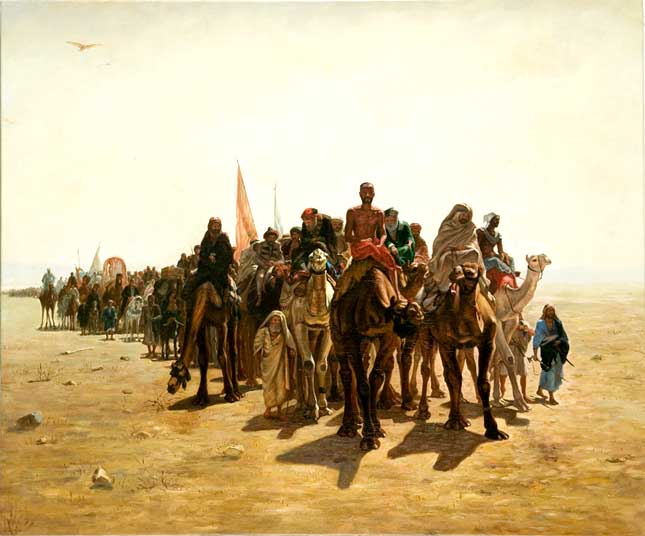
The Sahara Desert Expedition That Was Mercilessly Hunted
https://www.youtube.com/watch?v=9-euu93VBqs
The history of Star Fox, one of the best games of the Super Nintendo. I regularly played this game in the mid 90's. Maybe shadow.97 or humbert remember this game.
https://www.youtube.com/watch?v=vzfVENbKKuU

Inside North Korea's Abandoned Hotel of Doom
https://www.youtube.com/watch?v=kJPK1rb5GRs

Axwell - Feel The Vibe – remix
https://www.youtube.com/watch?v=iaiSpa_TZCs

The Sahara Desert Expedition That Was Mercilessly Hunted
https://www.youtube.com/watch?v=9-euu93VBqs
The history of Star Fox, one of the best games of the Super Nintendo. I regularly played this game in the mid 90's. Maybe shadow.97 or humbert remember this game.
https://www.youtube.com/watch?v=vzfVENbKKuU
Inside North Korea's Abandoned Hotel of Doom
https://www.youtube.com/watch?v=kJPK1rb5GRs
Axwell - Feel The Vibe – remix
https://www.youtube.com/watch?v=iaiSpa_TZCs
#88
Chit Chat / Re: good movies
Last post by scarface - September 28, 2025, 08:20 PMTonight, I'm presenting the movie "Les visiteurs" (The visitors).
For those who want to watch an excellent movie, I recommend watching the movie "Les visiteurs", released in 1993 (repost). This movie is a masterpiece. It was a huge commercial success when it was released. It features Jean Reno, Christian Clavier and Valérie Lemercier.
I know that some scholars of the forum speak French fluently, but in case you don't, some English subtitles are embedded in the movie.
Link: https://ok.ru/video/3183708211923
Storyline: A medieval knight and his servant ask a familiar wizard to move them back in time to prevent father-in-law's accidentally killing. Instead, they fly away to the 20th century.


For those who want to watch an excellent movie, I recommend watching the movie "Les visiteurs", released in 1993 (repost). This movie is a masterpiece. It was a huge commercial success when it was released. It features Jean Reno, Christian Clavier and Valérie Lemercier.
I know that some scholars of the forum speak French fluently, but in case you don't, some English subtitles are embedded in the movie.
Link: https://ok.ru/video/3183708211923
Storyline: A medieval knight and his servant ask a familiar wizard to move them back in time to prevent father-in-law's accidentally killing. Instead, they fly away to the 20th century.
#89
Microsoft Windows / Re: Windows 11
Last post by scarface - September 28, 2025, 08:17 PMTonight, Windows 11 25H2 is available with the latest updates and software.
This version was created with Windows 11 25H2 RTM Build 26200.6584.
Note that the latest AMD drivers were integrated in this version.
TPM2 and Secure boot are disabled.
Link: https://mega.nz/folder/hFMVTIBL#OP7Z1vb95a0AIFl5-_UctQ


https://www.youtube.com/watch?v=f2GfnYyYa8I
This version was created with Windows 11 25H2 RTM Build 26200.6584.
Note that the latest AMD drivers were integrated in this version.
TPM2 and Secure boot are disabled.
Link: https://mega.nz/folder/hFMVTIBL#OP7Z1vb95a0AIFl5-_UctQ
https://www.youtube.com/watch?v=f2GfnYyYa8I
#90
Microsoft Windows / Re: Windows 11
Last post by Vasudev - September 28, 2025, 04:32 PMQuote from: humbert on August 29, 2025, 04:41 AMFaced this issue on September updates and refused to install. It seems /ResetBase still causing problems.Quote from: Vasudev on August 25, 2025, 03:38 PMThat's great to hear. For me it was opposite the stock ISO with July Updates failed repeatedly with "Something went wrong. Try again later!" and had to use my custom edition with same July update which took 3hrs to install on battery power.
It would be great if the issue were limited to only OS upgrades. More often than not a "cumulative update" comes down the pipe, and you get this message that says "Something went wrong, undoing changes". The worst part is that the OS doesn't learn that the upgrade won't install. It tries again and again, only to get the same results. Your only choice is to shut down Windows Updates.
Updated the 24H2 with September Patches and 90% of the tweaks has been migrated to unattended xml file which is helpful on clean install and now installs all packages using the cmd/ps1 generated by AI. Took me hours to debug and fix scripts getting stuck without timeouts but all good know. Managed to reduce the image size by 200MB from 5.2GB to 5GB.
Windows 11 24H2 ISOWindows 11 24H2 SHA256 Checksum
You can rename the autoattended.xml to some other name (prefix by random alphabet) to do upgrade in-place keeping existing files and apps.
As always Edge is removed so Brave is installed and this time I went with Irfanview instead of Faststone image viewer for licensing issues when used commercially. It looks for WinApps folder to install offline content if present otherwise fetches latest versions through winget or powershell.