- Welcome to Maher's Digital World.

Recent posts
#1
Chit Chat / Re: best clips
Last post by scarface - October 03, 2026, 09:00 PMTonight, new videos are available for the users of the forum.
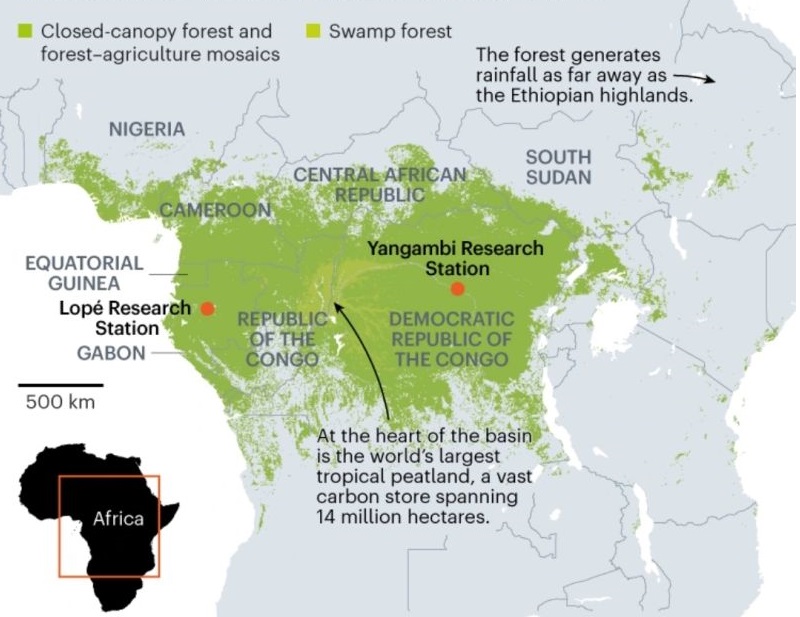
Why Africa's Largest Rainforest is Still a Mystery
https://www.youtube.com/watch?v=E-QYCn_USXE
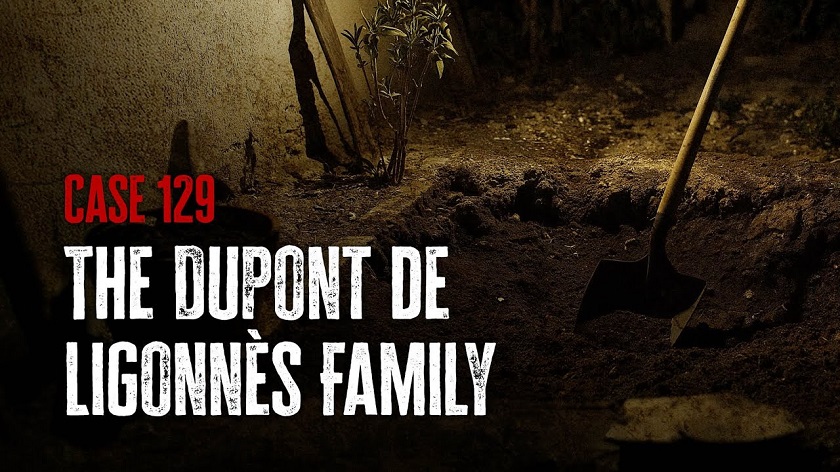
For those who watched the video about the Ligonnes case in the previous message, casefile made a very interesting video with more details. For now, the whereabouts of the count Xavier remain unknown.
https://www.youtube.com/watch?v=fMDF7QmTA-4
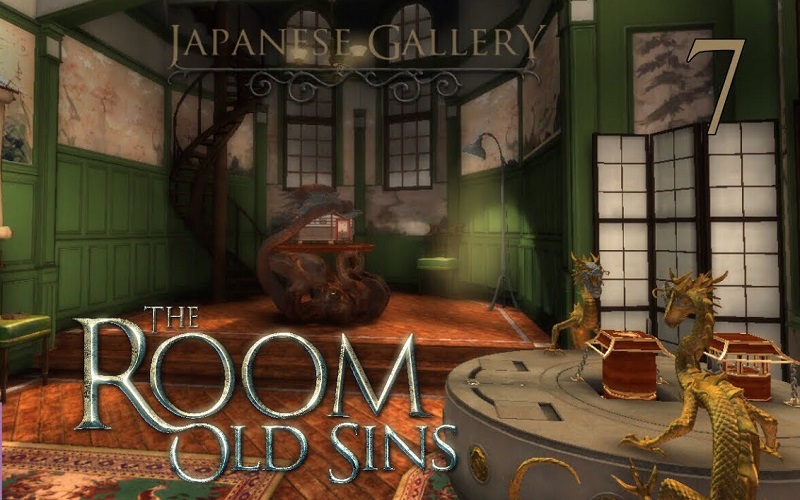
A message was posted about the games The room 3 & 4 on the forum.
Humbert showed both interest and amazement. However, Vasudev, shadow.97 and aa1234779 are unlikely to solve the mysteries in the curiosity room or in the Japanese gallery. This video can be helpful for those who are playing the room 4.
https://www.youtube.com/watch?v=LuNtUle17_g
The long dark in Vorkuta. Part 3.
https://www.youtube.com/watch?v=v92-uYd6Ku8
Why Africa's Largest Rainforest is Still a Mystery
https://www.youtube.com/watch?v=E-QYCn_USXE
For those who watched the video about the Ligonnes case in the previous message, casefile made a very interesting video with more details. For now, the whereabouts of the count Xavier remain unknown.
https://www.youtube.com/watch?v=fMDF7QmTA-4
A message was posted about the games The room 3 & 4 on the forum.
Humbert showed both interest and amazement. However, Vasudev, shadow.97 and aa1234779 are unlikely to solve the mysteries in the curiosity room or in the Japanese gallery. This video can be helpful for those who are playing the room 4.
https://www.youtube.com/watch?v=LuNtUle17_g
The long dark in Vorkuta. Part 3.
https://www.youtube.com/watch?v=v92-uYd6Ku8
#2
Microsoft Windows / Re: Windows 11
Last post by scarface - October 03, 2026, 08:05 PMQuote from: Vasudev on October 02, 2026, 10:11 PMI actually downgraded to 23H2 from 25H2 without data loss because of constant issues with updates breaking things or two. How's the 26H2 so far? I might do 23H2/26H2 custom ISO.
Actually, there is no difference between 24h2/25h2 and 26h2 since they have the same updates (the last cumulative update shows a version with the number "9457" for each version). However, there might a few features in those versions that were not available in the previous versions. Since they are all based on the same architecture (x64 for most processors), I assume that all the windows 11 versions are almost identical.
As a matter of fact, I'm still using Windows 23H2 on my computer. I didn't see any noticeable change between 23H2 and the subsequent versions in the Virtual machine that I use to create the isos available on the forum (For those who remember windows 95 and windows XP, there were noticeable changes).
Note that the version "26h2" uploaded on the forum was in fact the version 25h2, updated with the latest cumulative update and a small kb (roughly 100 kb...) to show 26H2. However, the next version will be based on the 26h2 version that was released a few days ago (in each version the file boot.wim seems to be updated too...).
#3
Chit Chat / Re: best clips
Last post by Vasudev - October 02, 2026, 10:14 PMI won't be surprised if Aliens re-surface saying we're shapeshifted into Humans to avoid attention but got detention because of incorrect race/nationality in their forged docs
#4
Microsoft Windows / Re: Windows 11
Last post by Vasudev - October 02, 2026, 10:11 PMQuote from: scarface on September 15, 2026, 11:02 PMTonight, Windows 11 Pro 26h2 with the September updates is available. Many drivers and programs were updated too.I actually downgraded to 23H2 from 25H2 without data loss because of constant issues with updates breaking things or two. How's the 26H2 so far? I might do 23H2/26H2 custom ISO.
-Note that the previous version uploaded was a N version (to make it smaller) but this version is the Pro edition once again (the media feature pack is needed for miscellaneous software so I decided to provide you with the standard edition).
-This version comprises a slimmed-down boot.wim file. If something is amiss with the installer, try to replace this file with the original.
Link: https://mega.nz/folder/hFMVTIBL#OP7Z1vb95a0AIFl5-_UctQ
Nothing was removed (except onedrive which was uninstalled). The Winsxs folder was left untouched.
Net runtime desktop 10, Net framework 3.5, VC++ redistributables, and Directx 9 are included.
Only 5,03 Gb
https://www.youtube.com/watch?v=f2GfnYyYa8I
Note that a new version of Office 2007 is available (only 260 Mb).
Every update (SP3 and subsequent updates) was directly slipstreamed in the installer.
The Installer is completely silent.
https://mega.nz/file/ZZE3GQoY#5WSeXYzGOSeV05uGuoeT1PHzWWucUCgBWDRFXKHcKCs
The previous version is still available in this topic:
https://www.nomaher.com/forum/index.php?topic=3350.msg36198#msg36198
#5
Chit Chat / Re: best clips
Last post by humbert - September 29, 2026, 01:44 AMI am not surprised that they have yet to find alien signals in the areas we've been searching. This is a drop in the bucket compared to the size of the universe and the unbelievable amount of star and planets that exist.
It's important to understand that isn't so much that this planet supports life, but rather that the life forms that exist here have adapted to the condtions that exist on this planet. Don't believe me? Ask the extremophiles who live under conditions what would kill us instantly, AND cannot live under the same conditions we do. Accordingly, any alien life forn, if discovered, would probably be unrecongnizable as such.
We are still with this mentality that intelligent life forms are actually little green men who communicate with same radio signals we do. Maybe they're using a communication system totally foreign to us. And I don't think anyone has factured into the equation that these "little green men" live in the equivalent of our 16th century.
Another possibility: a planet that has life was never hit the the same dino asteriod we were. Accordinly, all you have is alien dinosaurs walking around. There are no life forms capable of any kind of long distance communication.
There is absolutely no question that life exists outside earth. All I'm saying is that reasons like this and more must be factored into the equation instead of the ludicrous "we are alone" fallacy.
It's important to understand that isn't so much that this planet supports life, but rather that the life forms that exist here have adapted to the condtions that exist on this planet. Don't believe me? Ask the extremophiles who live under conditions what would kill us instantly, AND cannot live under the same conditions we do. Accordingly, any alien life forn, if discovered, would probably be unrecongnizable as such.
We are still with this mentality that intelligent life forms are actually little green men who communicate with same radio signals we do. Maybe they're using a communication system totally foreign to us. And I don't think anyone has factured into the equation that these "little green men" live in the equivalent of our 16th century.
Another possibility: a planet that has life was never hit the the same dino asteriod we were. Accordinly, all you have is alien dinosaurs walking around. There are no life forms capable of any kind of long distance communication.
There is absolutely no question that life exists outside earth. All I'm saying is that reasons like this and more must be factored into the equation instead of the ludicrous "we are alone" fallacy.
#6
Chit Chat / Re: best clips
Last post by scarface - September 27, 2026, 02:20 AMTonight, new videos are available for the users of the forum.
The Great Silence
https://www.youtube.com/watch?v=ryg077wBvsM

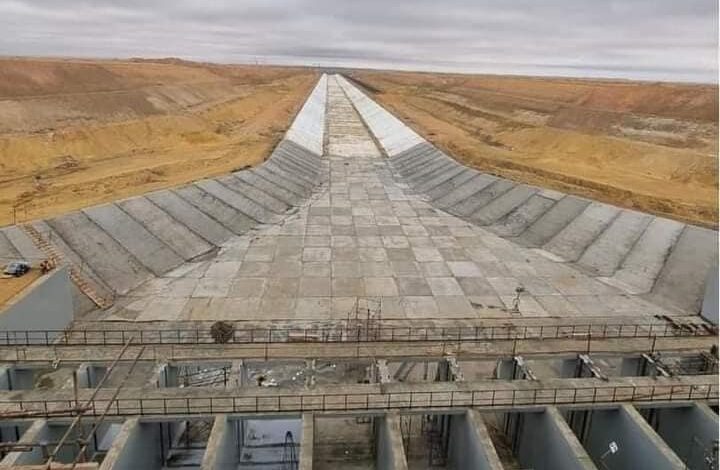
Egypt is Building a New Nile
https://www.youtube.com/watch?v=gnND5qkf0Xs
The Poisoned Coffee Case That Shocked Indonesia
https://www.youtube.com/watch?v=TWUwpekMtBM

The long dark in Vorkuta. Part 2.
https://www.youtube.com/watch?v=Z64WAnjh6ZQ
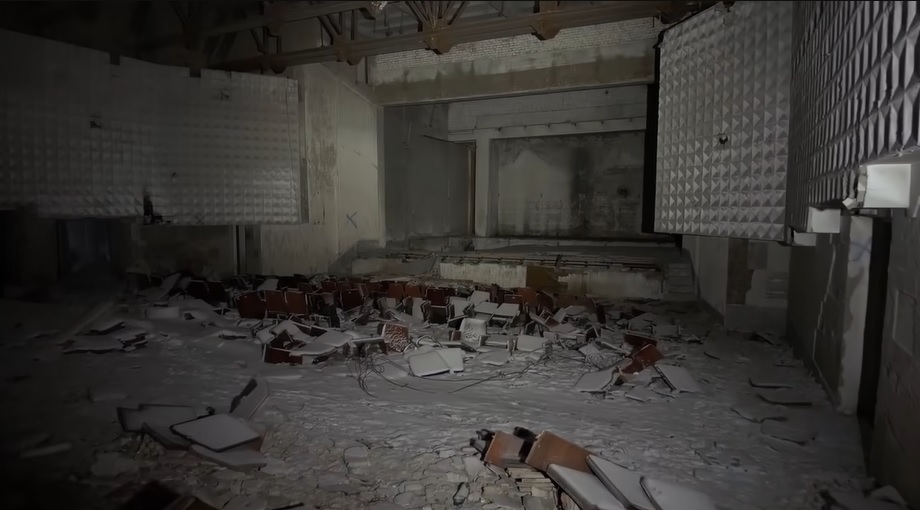
The Great Silence
https://www.youtube.com/watch?v=ryg077wBvsM
Egypt is Building a New Nile
https://www.youtube.com/watch?v=gnND5qkf0Xs
The Poisoned Coffee Case That Shocked Indonesia
https://www.youtube.com/watch?v=TWUwpekMtBM
The long dark in Vorkuta. Part 2.
https://www.youtube.com/watch?v=Z64WAnjh6ZQ
#7
Chit Chat / Re: best clips
Last post by scarface - September 24, 2026, 12:16 PMToday, new videos are available for the users of the forum.
When Antarctica Was a Jungle
https://www.youtube.com/watch?v=NX1_E9zndps

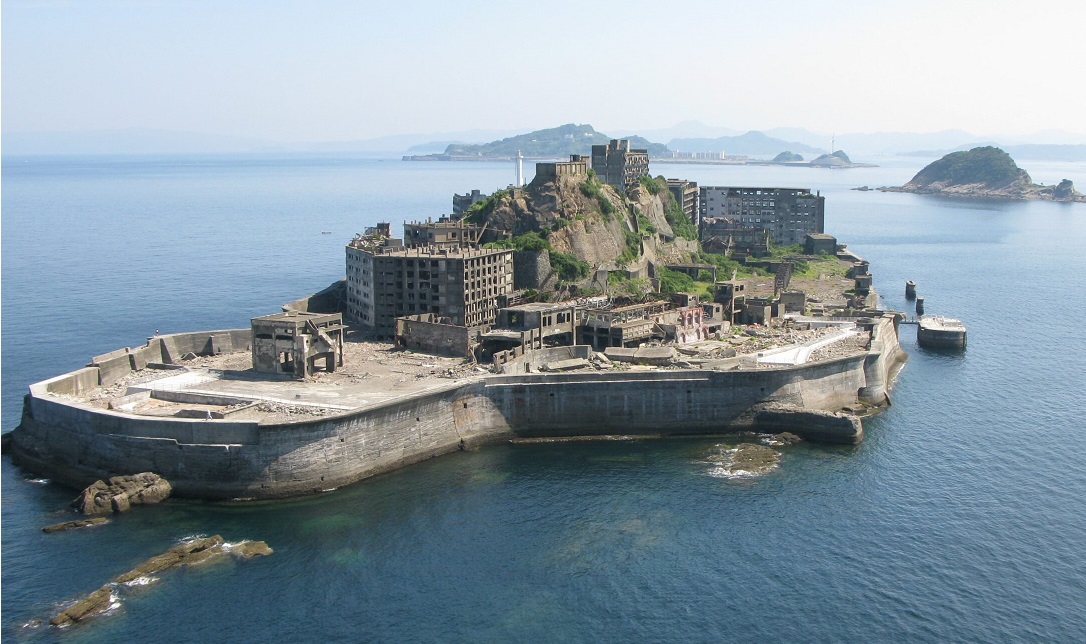
The Dark History Beneath Japan's Strangest Island
https://www.youtube.com/watch?v=XwWT4KEE60Y
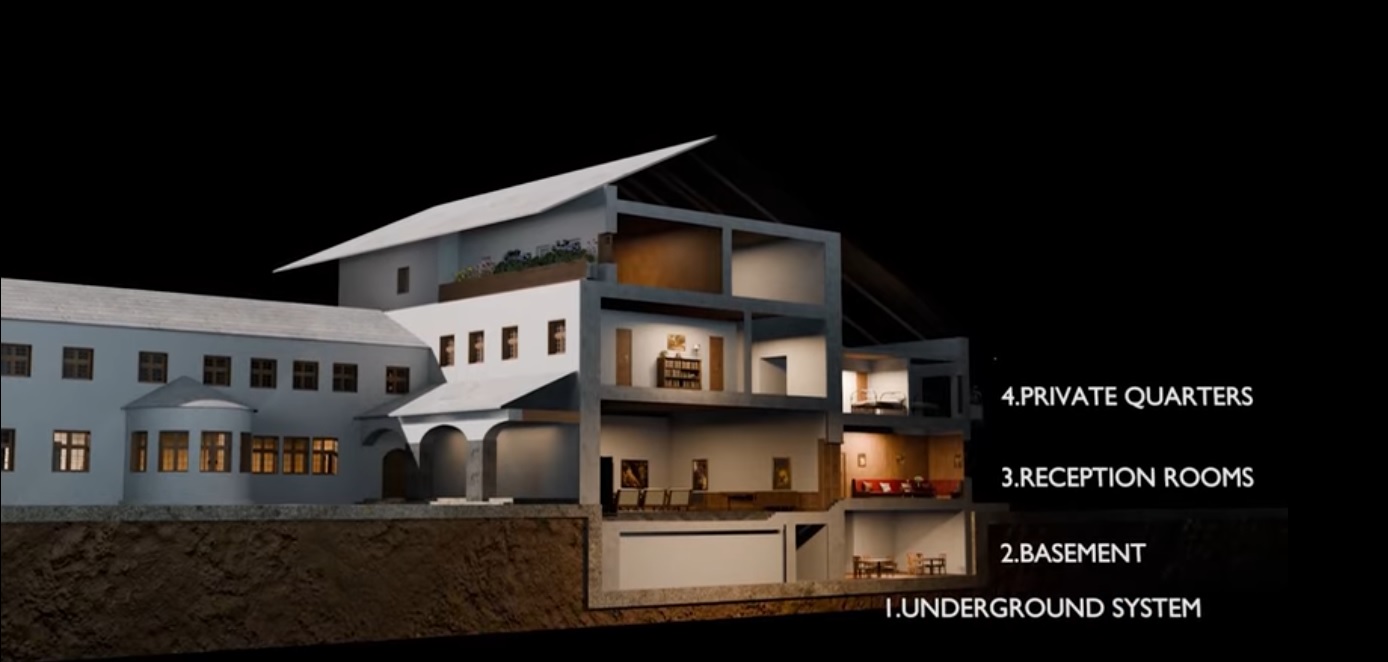
The hidden mansion of the Fuhrer.
Based on a true story
https://www.youtube.com/watch?v=q5q_O0-LiZ0
The Fly Agaric: Between Myth and Science
https://www.youtube.com/watch?v=mLpVv5DRAFA

When Antarctica Was a Jungle
https://www.youtube.com/watch?v=NX1_E9zndps
The Dark History Beneath Japan's Strangest Island
https://www.youtube.com/watch?v=XwWT4KEE60Y
The hidden mansion of the Fuhrer.
Based on a true story
https://www.youtube.com/watch?v=q5q_O0-LiZ0
The Fly Agaric: Between Myth and Science
https://www.youtube.com/watch?v=mLpVv5DRAFA
#8
Chit Chat / Re: best clips
Last post by scarface - September 15, 2026, 11:10 PMTonight, new videos are available for the users of the forum.
Inside L.A.'s Most Famous House Built on the Edge of a Cliff
https://www.youtube.com/watch?v=8vVToLhtsEM

Why the Mariana Trench Still Terrifies Scientists
https://www.youtube.com/watch?v=W5v_IrhO-1w

Berlin, April 1945. The Fuhrer stands before the operations map in the Führerbunker. With a trembling left hand, he moves red pins across the board. He orders the 9th Army to counterattack from the south. He orders Wenck's 12th Army to advance from the west. The two pincers will close around Berlin and trap the Soviet forces in a pocket.
But the divisions he is moving no longer exist. The generals in the room know it. They nod. They take notes. Not one of them speaks.
Humbert and shadow.97 must be wondering why the generals deceived the Fuhrer.
This documentary reconstruct the system of deception that surrounded the Fuhrer in the final months of the war.
https://www.youtube.com/watch?v=85Qm36sq5Qg

Why the World's Largest Megaproject Collapsed
https://www.youtube.com/watch?v=GbB3vFfiaVU

Inside L.A.'s Most Famous House Built on the Edge of a Cliff
https://www.youtube.com/watch?v=8vVToLhtsEM
Why the Mariana Trench Still Terrifies Scientists
https://www.youtube.com/watch?v=W5v_IrhO-1w
Berlin, April 1945. The Fuhrer stands before the operations map in the Führerbunker. With a trembling left hand, he moves red pins across the board. He orders the 9th Army to counterattack from the south. He orders Wenck's 12th Army to advance from the west. The two pincers will close around Berlin and trap the Soviet forces in a pocket.
But the divisions he is moving no longer exist. The generals in the room know it. They nod. They take notes. Not one of them speaks.
Humbert and shadow.97 must be wondering why the generals deceived the Fuhrer.
This documentary reconstruct the system of deception that surrounded the Fuhrer in the final months of the war.
https://www.youtube.com/watch?v=85Qm36sq5Qg
Why the World's Largest Megaproject Collapsed
https://www.youtube.com/watch?v=GbB3vFfiaVU
#9
Microsoft Windows / Re: Windows 11
Last post by scarface - September 15, 2026, 11:02 PMTonight, Windows 11 Pro 26h2 with the September updates is available. Many drivers and programs were updated too.
-Note that the previous version uploaded was a N version (to make it smaller) but this version is the Pro edition once again (the media feature pack is needed for miscellaneous software so I decided to provide you with the standard edition).
-This version comprises a slimmed-down boot.wim file. If something is amiss with the installer, try to replace this file with the original.
Link: https://mega.nz/folder/hFMVTIBL#OP7Z1vb95a0AIFl5-_UctQ
Nothing was removed (except onedrive which was uninstalled). The Winsxs folder was left untouched.
Net runtime desktop 10, Net framework 3.5, VC++ redistributables, and Directx 9 are included.
Only 5,03 Gb


https://www.youtube.com/watch?v=f2GfnYyYa8I
Note that a new version of Office 2007 is available (only 260 Mb).
Every update (SP3 and subsequent updates) was directly slipstreamed in the installer.
The Installer is completely silent.
https://mega.nz/file/ZZE3GQoY#5WSeXYzGOSeV05uGuoeT1PHzWWucUCgBWDRFXKHcKCs
The previous version is still available in this topic:
https://www.nomaher.com/forum/index.php?topic=3350.msg36198#msg36198
-Note that the previous version uploaded was a N version (to make it smaller) but this version is the Pro edition once again (the media feature pack is needed for miscellaneous software so I decided to provide you with the standard edition).
-This version comprises a slimmed-down boot.wim file. If something is amiss with the installer, try to replace this file with the original.
Link: https://mega.nz/folder/hFMVTIBL#OP7Z1vb95a0AIFl5-_UctQ
Nothing was removed (except onedrive which was uninstalled). The Winsxs folder was left untouched.
Net runtime desktop 10, Net framework 3.5, VC++ redistributables, and Directx 9 are included.
Only 5,03 Gb
https://www.youtube.com/watch?v=f2GfnYyYa8I
Note that a new version of Office 2007 is available (only 260 Mb).
Every update (SP3 and subsequent updates) was directly slipstreamed in the installer.
The Installer is completely silent.
https://mega.nz/file/ZZE3GQoY#5WSeXYzGOSeV05uGuoeT1PHzWWucUCgBWDRFXKHcKCs
The previous version is still available in this topic:
https://www.nomaher.com/forum/index.php?topic=3350.msg36198#msg36198
#10
Microsoft Windows / Re: Windows 11
Last post by Vasudev - August 19, 2026, 10:24 AMQuoteAccording to this article comparison editions win11, the last version of win11 has a slightly higher cpu utilization than the previous versions. But the lacklustre performance of your hardware is likely due to the physical wear of the components surrounding the CPU (this phenomenon is called thermal throttling). As a computer ages, its cooling system becomes less efficient.Doubtful since I've recently replaced the paste for Phase Change material. 24/25h2 drivers are really buggy and are winky with win 11 security
Note that there will be no new version of windows this months (the last version I uploaded is avaible here: win11 25h2. Since a new opus of windows is likely to be released in September, a significant update will be uploaded next month.